Guides / Lines and call routing
How to set how a business line rings and what voicemail says
Every line in Onyx Phone has its own settings. This guide shows account admins how to open a line's settings, rename it, choose which devices ring and for how long, set the greeting callers hear first, write the voicemail greeting, have voicemails emailed to you, and save, with a labeled screenshot of each section.
Before you start
- You need to be an account admin.
Step 1. Open a line's settings
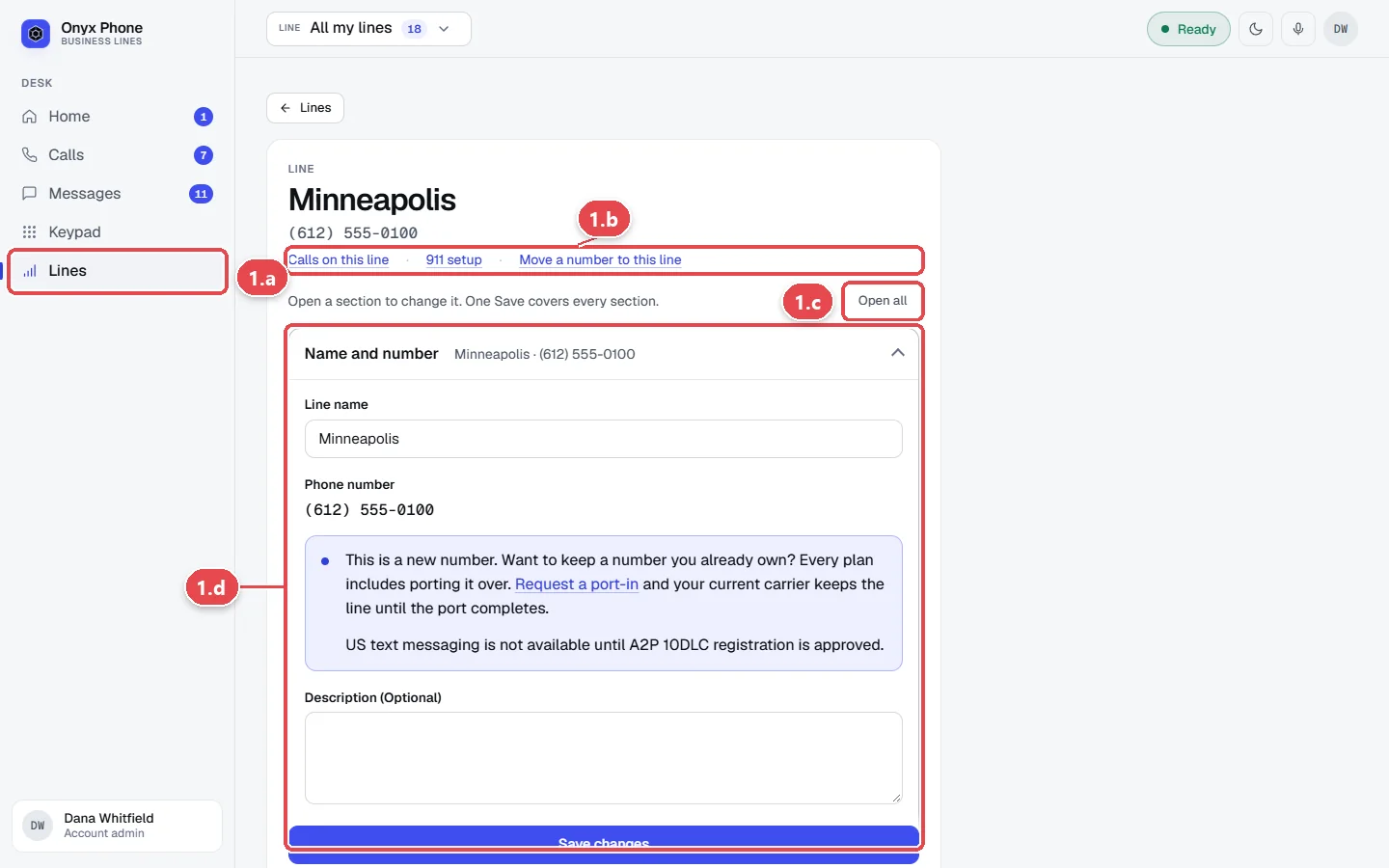
- Step 1.a In the left menu, click Lines, then click the pencil button next to the line.
- Step 1.b Use the links at the top to jump to Calls on this line, 911 setup, or Move a number to this line.
- Step 1.c Click a section's title to open it, or Open all to open every section.
- Step 1.d Click Name and number and change the Line name if you like.
Step 2. Choose how calls ring
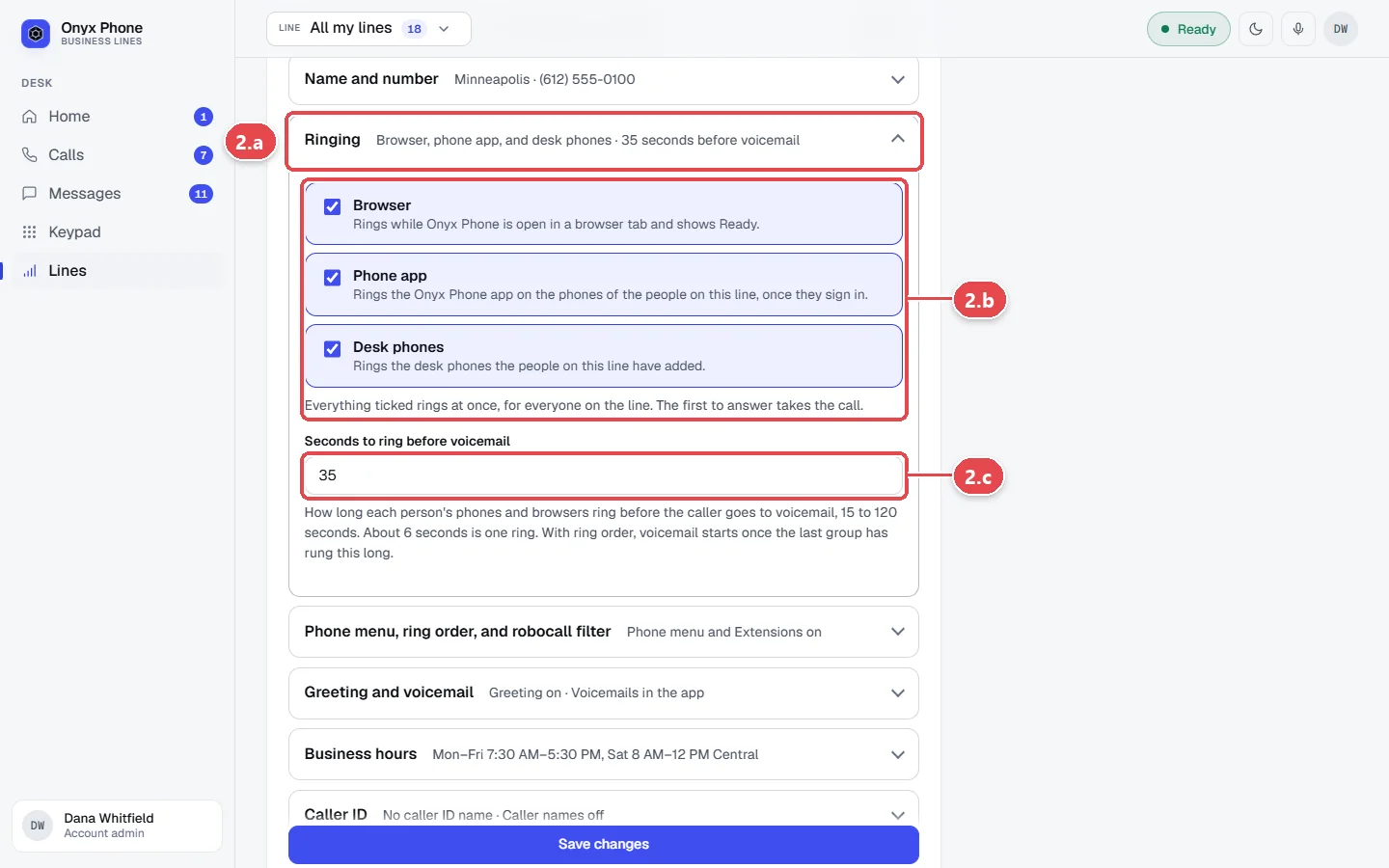
- Step 2.a Click Ringing.
- Step 2.b Under How calls ring, tick each kind of device that should ring for this line, Browser, Phone app, and Desk phones. Everything ticked rings at once for everyone on the line; the first to answer takes the call.
- Step 2.c In the ring time box, type how many seconds devices ring before the caller goes to voicemail, from 15 to 120. 35 is the default.
Step 3. Set the greeting and voicemail
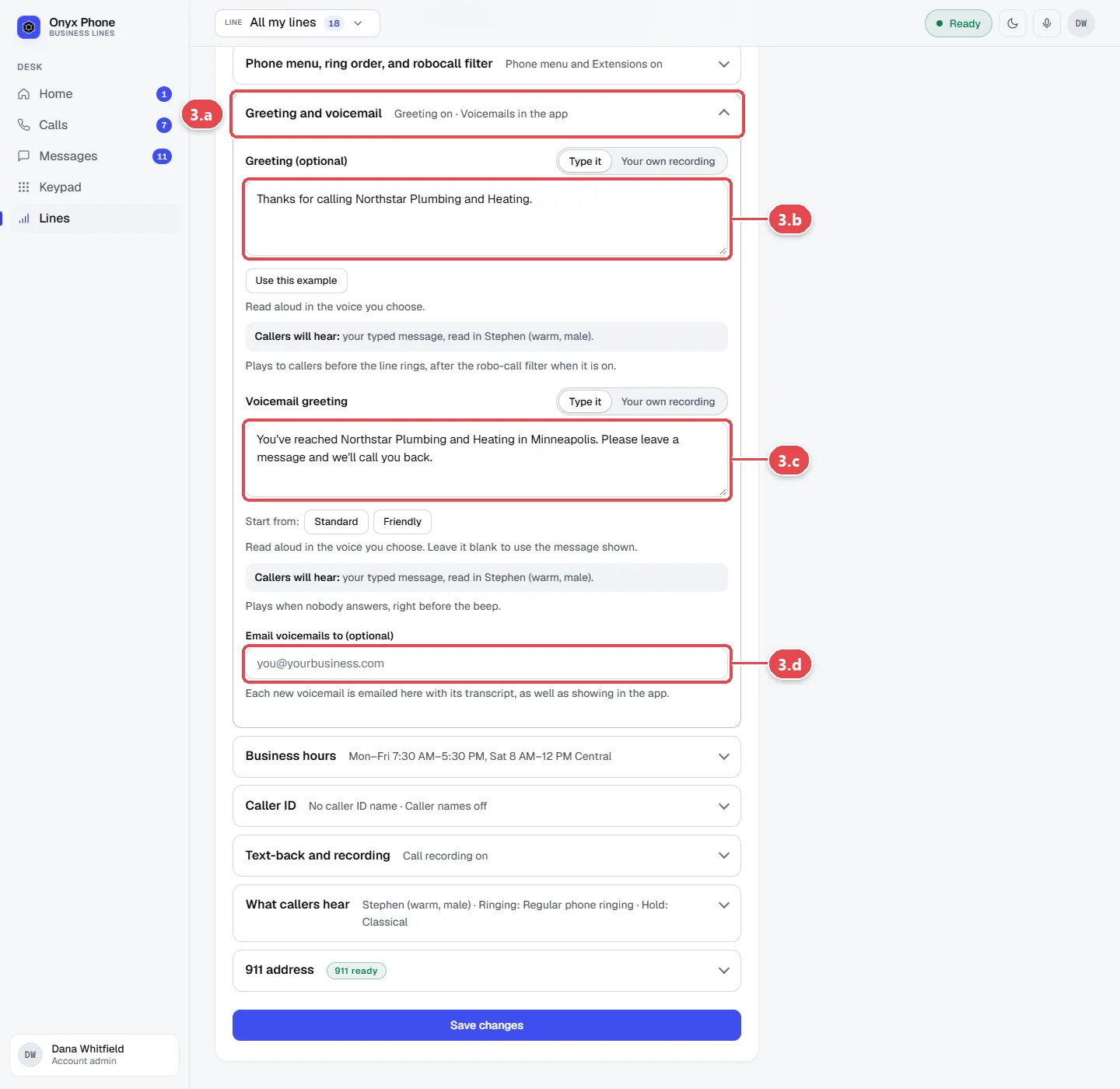
- Step 3.a Click Greeting and voicemail.
- Step 3.b Choose whether callers hear a greeting before the call rings, and type the words, such as "Thanks for calling Northstar Plumbing." Click a sample to use it as a starting point.
- Step 3.c Type the voicemail greeting callers hear before the beep, or use the standard message.
- Step 3.d In the voicemail email box, type an address to get every new voicemail by email with the recording and transcript.
Tip: Choose the voice that reads your greeting in What callers hear. See Voices and music.
Step 4. Save your changes
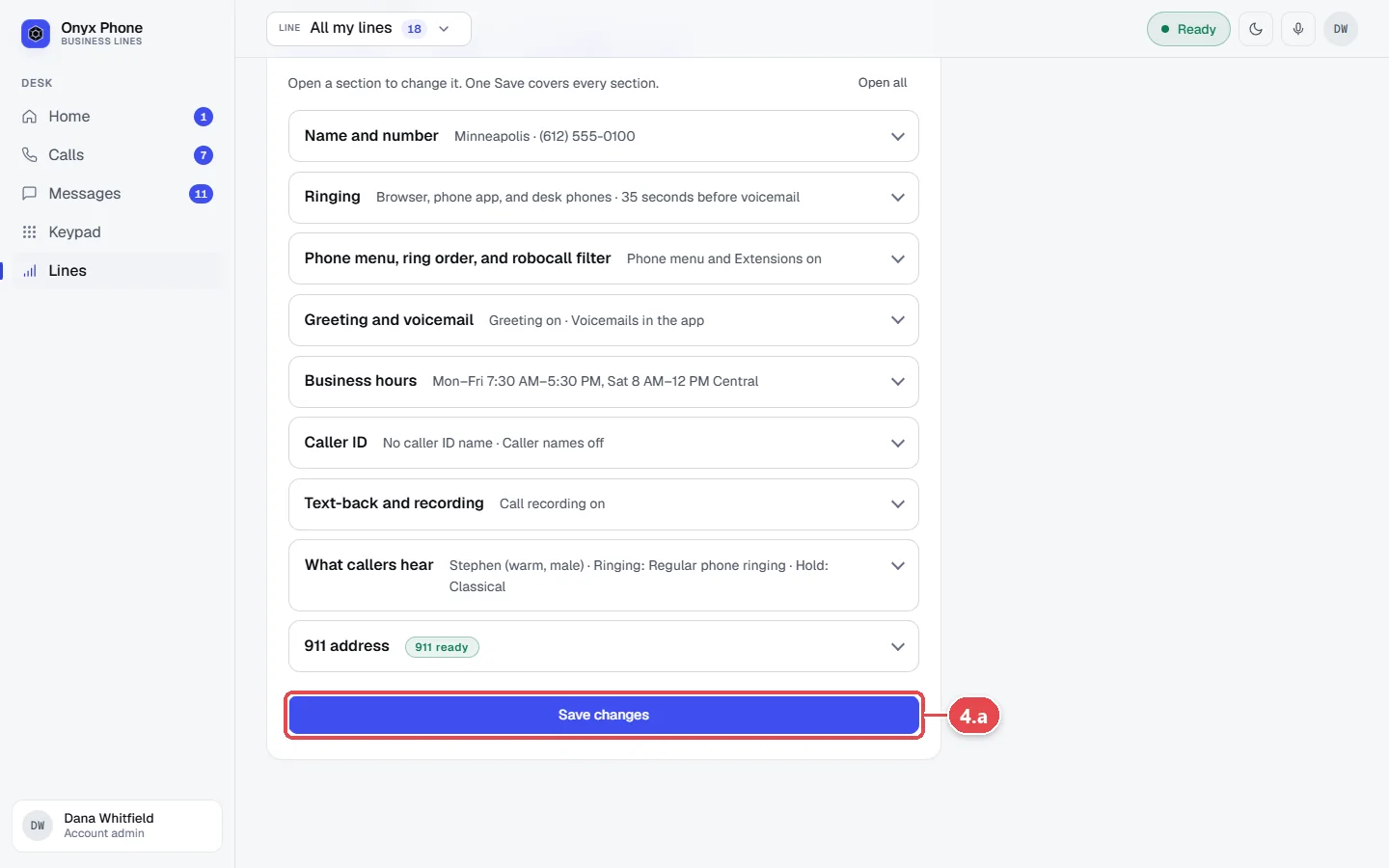
- Step 4.a Click Save changes at the bottom of the page. One Save changes saves every section, and changes apply to the next call.
Questions and answers
Why didn't my phone ring?
Check that Phone app is ticked under How calls ring for the line, that you're assigned to the line, and that you're inside your alert hours and the line's business hours.
How long does a call ring before voicemail?
The ring time you set, 35 seconds by default. With a ring order, voicemail starts after the last step has rung that long.
Does a greeting cost callers time?
It plays once before the call rings, so keep it short. Leave it off to ring right away.
Can voicemails go to more than one email address?
Each line has one voicemail email address. Use a shared mailbox or a forwarding address to reach several people; everyone on the line also sees voicemails in Onyx Phone.
Do changes apply to calls already ringing?
No, they apply from the next call.
Related guides
- How to set up a phone menu, ring order, and robocall filterBuild a phone menu (press 1 for sales) in Onyx Phone, ring teammates in order, forward calls to another number, and screen robocalls.
- How to set business hours and an after-hours message for a phone lineSet open and closed hours for each Onyx Phone line, pick its time zone, and play an after-hours message before callers leave a voicemail.
- How to choose the voice, ringing music, and hold music callers hearPick from 12 voices for your greeting, phone menu, and voicemail greeting in Onyx Phone, choose ringing and hold music or upload your own, and preview each one.
- How to listen to, return, and delete business voicemailsCheck business voicemail on the web, iPhone, or Android: play messages, read transcripts, call back, mark them returned, and delete or restore them.
Getting started
- Create a login and pick a plan. Checkout saves a card for the 7-day free trial, and nothing is charged until it ends.
- Confirm your business and its 911 address, and get a local number on the spot. Bringing your own number? You answer on a temporary one while it moves over, for free.
- Choose where calls ring, write what callers hear, invite your team, and register for texting. Then answer in the browser, the iPhone and Android apps, or a desk phone. How it works has the details.
Screens change as we improve Onyx Phone; we last checked this guide on November 6, 2026. The screenshots show a made-up business. Markdown version · All guides · Contact us