Guides / Account, billing, and compliance
How to register a 911 address for each business phone line
Every Onyx Phone line needs a registered 911 address before it can make or take calls, so that emergency dispatchers are sent to the right place. This guide shows account admins how to open 911 setup, check where each line stands, choose the address where each line is used, and accept the 911 notice.
Before you start
- You need to be an account admin.
Step 1. Open 911 setup and check each line
- Step 1.a Click your initials at the top right of the screen, then click My account.
- Step 1.b On the Compliance card, click View 911 setup.
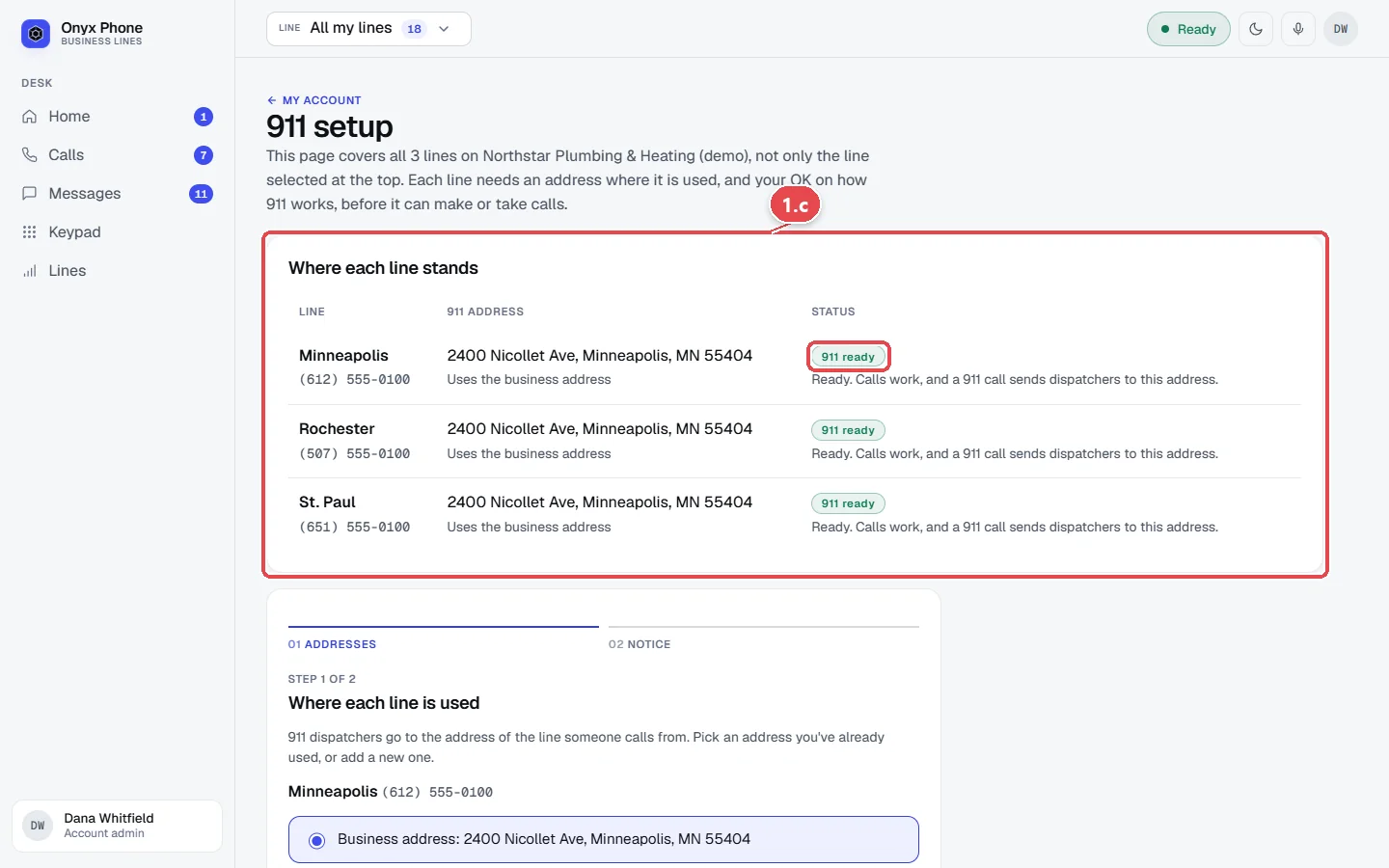
- Step 1.c Read Where each line stands. Each line shows its 911 address and status; 911 ready means calls work and a 911 call sends dispatchers to that address.
Step 2. Choose where each line is used
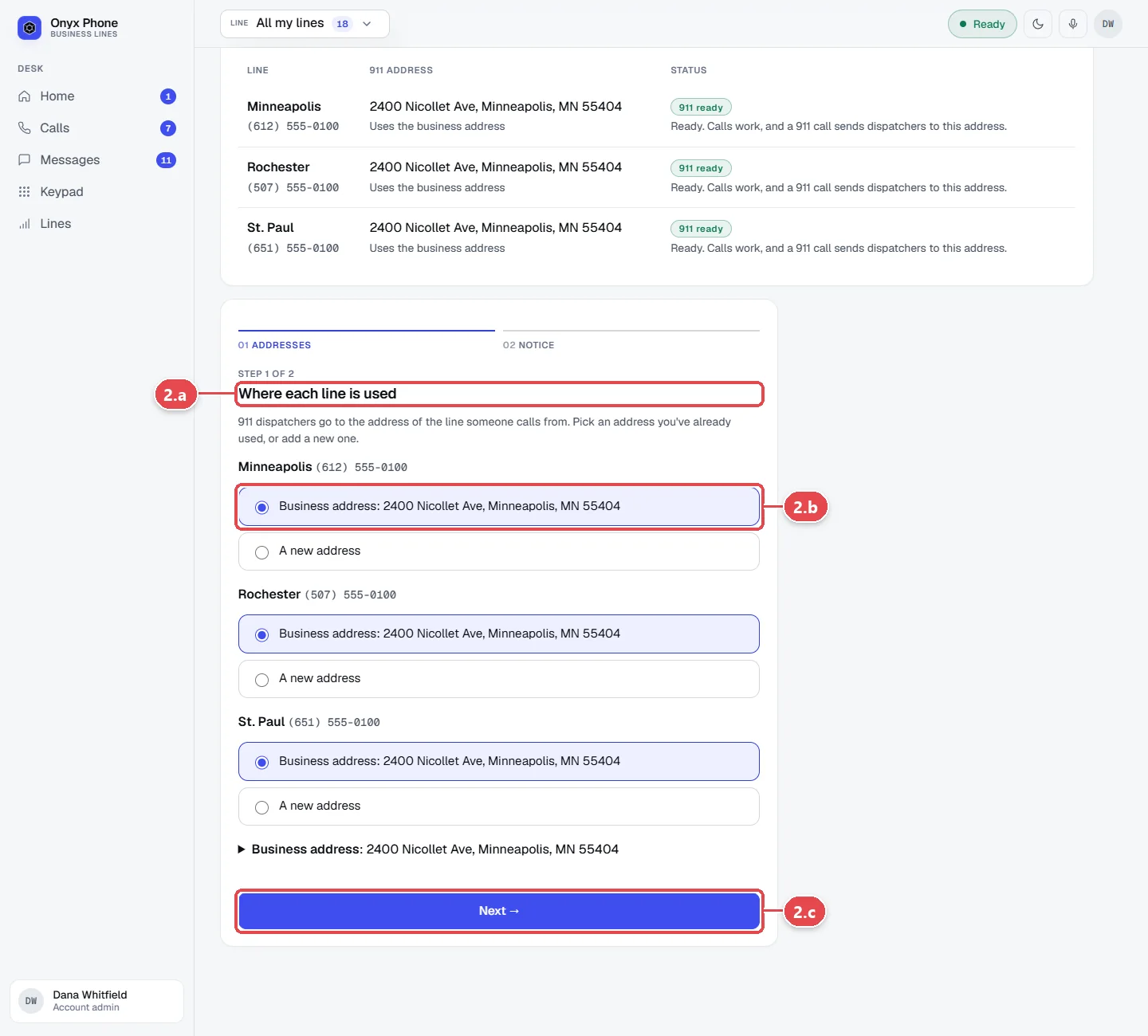
- Step 2.a Under Where each line is used, find each line.
- Step 2.b Choose the business address, an address you've used before, or A new address, and type the street, city, state, and ZIP code.
- Step 2.c Click Next →.
Step 3. Accept the 911 notice
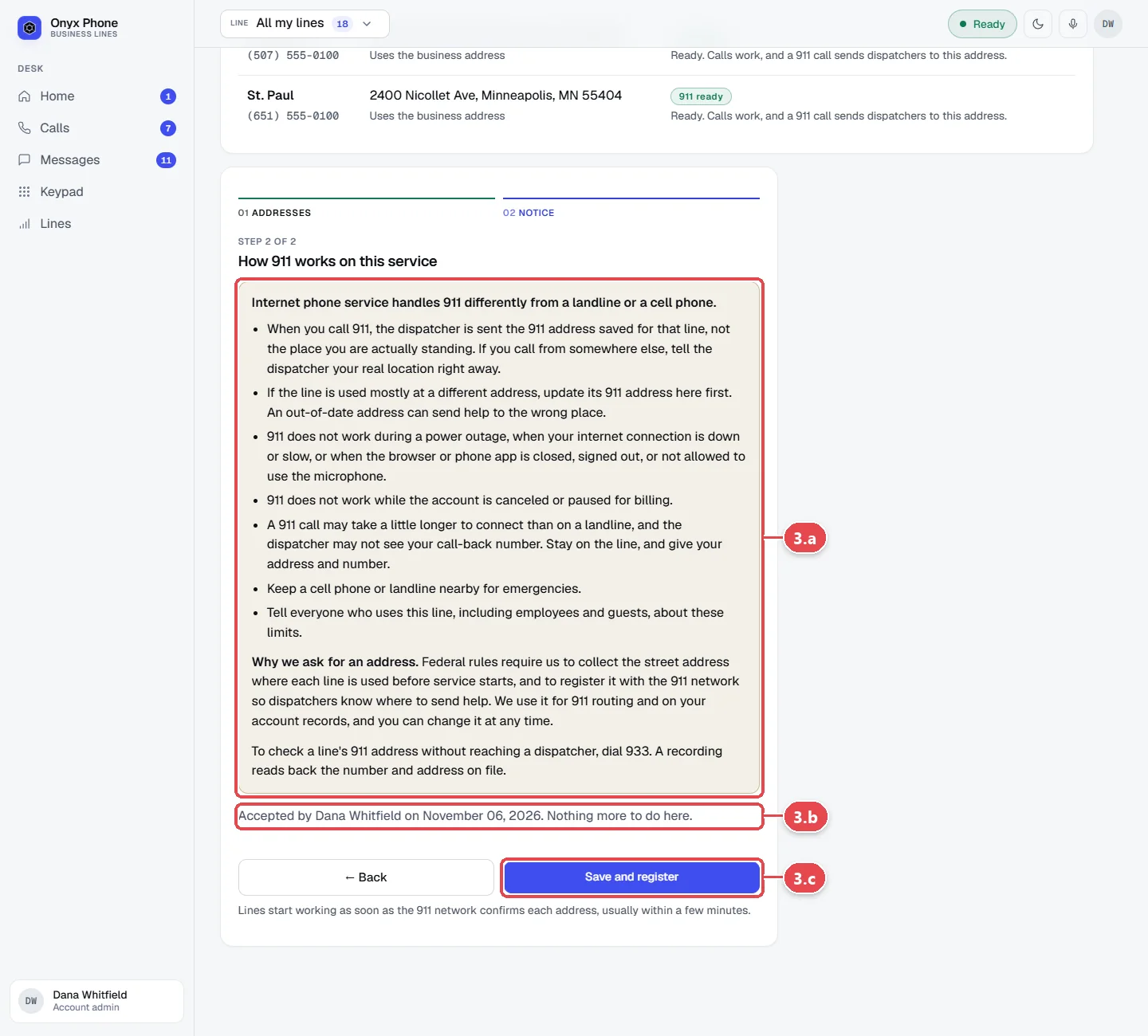
- Step 3.a Read the notice about how 911 works on internet calling, such as needing power and an internet connection.
- Step 3.b Tick the box to accept it. Once an admin has accepted the current notice, the page says who accepted it and when instead.
- Step 3.c Click Save and register. Lines usually start working within minutes, once the address is confirmed.
Questions and answers
Why does every line need a 911 address?
Internet phone numbers aren't tied to a building, so the law requires a registered address for each one. When someone calls 911 from a line, dispatchers are sent to its address.
What if a line is used somewhere other than the office?
Choose A new address for that line and enter where it's actually used, such as a branch or someone's home office.
What about desk phones in another building?
Each desk phone can have its own 911 location. See Desk phones.
Does 911 work if the power or internet is out?
No. Calls need power and an internet or data connection, so keep another way to reach 911, such as a cell phone.
What happens if I change the business address?
Every line that uses the business address is registered again at the new one.
Related guides
- How to use My account to manage your profile, billing, and complianceMy account puts your Onyx Phone profile, devices, billing, usage, and business setup (verification, texting, 911) on one page, with the next step for each.
- How to add a business phone line and choose its numberAdd a business line in Onyx Phone: name it, search for a local number by area code, set its 911 address, and start taking calls, or bring your own number.
- How to add and set up a desk phone (Yealink, Grandstream, or any SIP phone)Add an office desk phone to Onyx Phone: pick the model and line, set its 911 location, let a Yealink or Grandstream set itself up, or use any SIP phone.
- How to verify your business for caller ID and spam protectionVerify your business in Onyx Phone to show your caller ID name, sign calls against spam labels, and unlock texting. Run several businesses on one account.
Getting started
- Create a login and pick a plan. Checkout saves a card for the 7-day free trial, and nothing is charged until it ends.
- Confirm your business and its 911 address, and get a local number on the spot. Bringing your own number? You answer on a temporary one while it moves over, for free.
- Choose where calls ring, write what callers hear, invite your team, and register for texting. Then answer in the browser, the iPhone and Android apps, or a desk phone. How it works has the details.
Screens change as we improve Onyx Phone; we last checked this guide on November 6, 2026. The screenshots show a made-up business. Markdown version · All guides · Contact us