Guides / Texting
How to register your business for texting (A2P 10DLC)
US carriers require every business that texts from a local number to register first, a process called A2P 10DLC. Onyx Phone files it for you from one form. This guide shows account admins how to fill in the Texting page: your company type, what you text about, how people agree to get texts, the links to your privacy policy and texting terms, two sample texts, and the confirmation, then send it for review and follow its status.
Before you start
- You need to be an account admin.
- Verify your business first; the registration uses its legal details. See Business verification.
Step 1. Open the Texting page
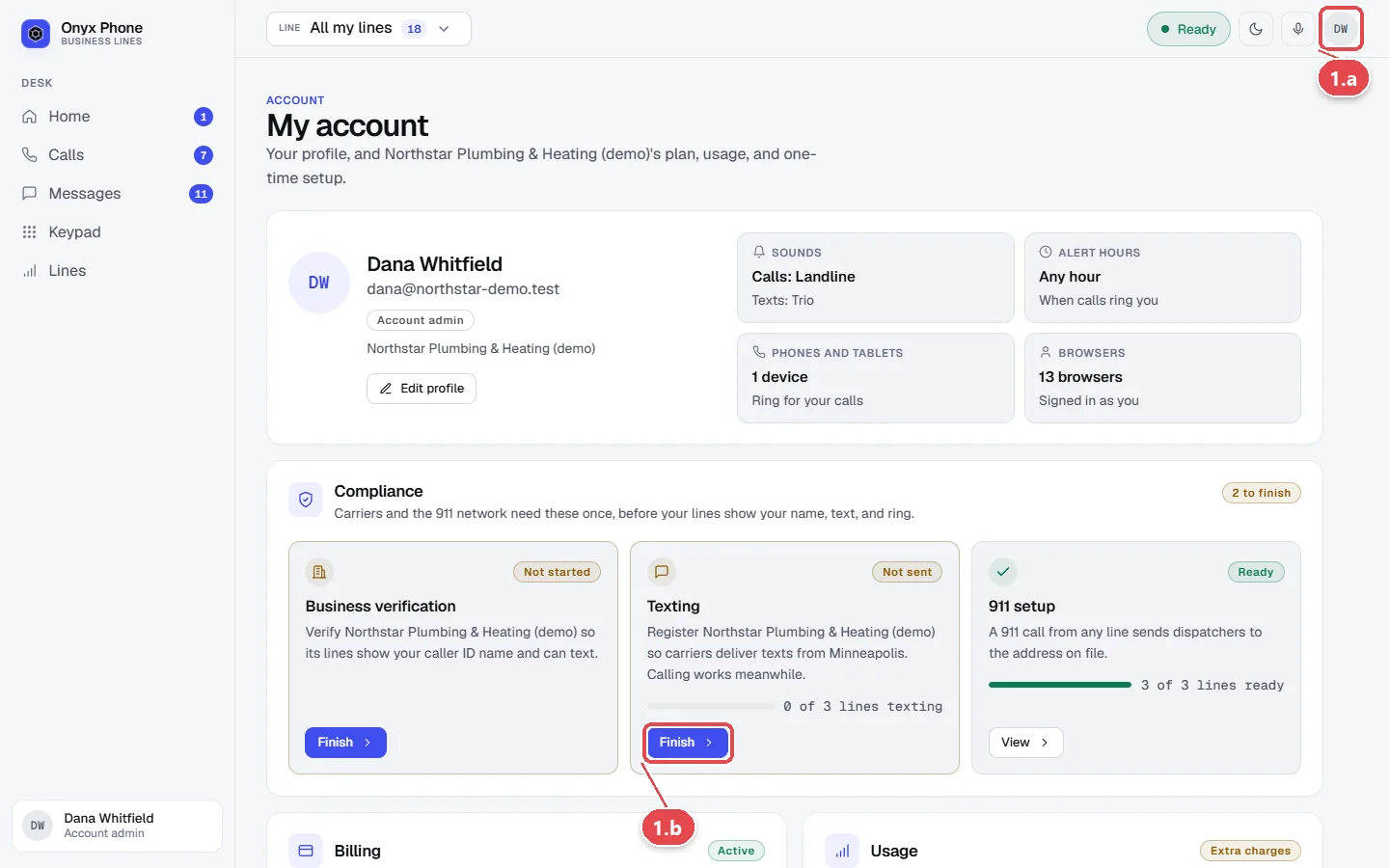
- Step 1.a Click your initials at the top right of the screen, then click My account.
- Step 1.b On the Compliance card, click Finish Texting.
- Step 1.c Read Where it stands for your registration's status and what's left.
Step 2. Describe your company and your texts
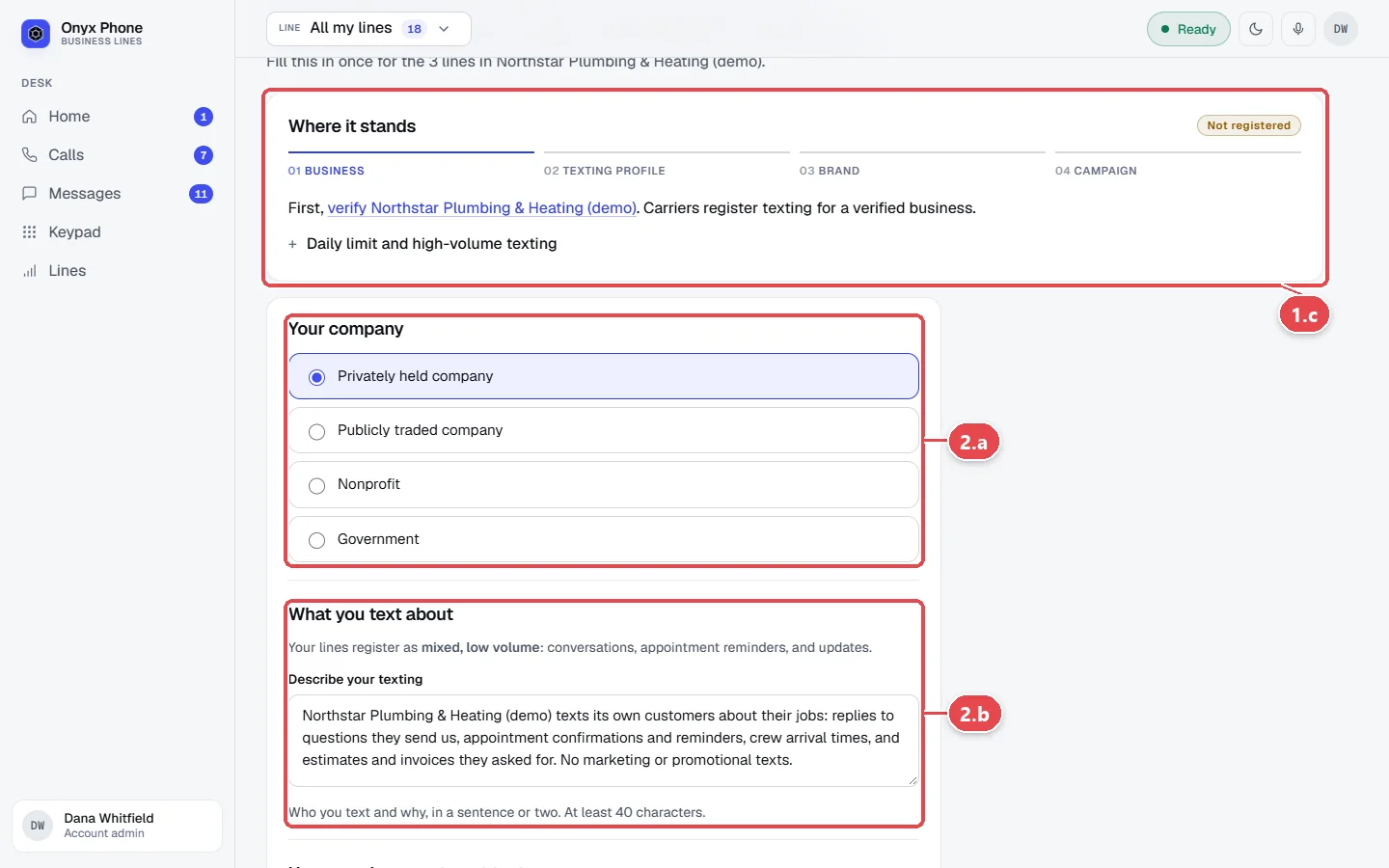
- Step 2.a Under Your company, choose Privately held company, Publicly traded company, Nonprofit, or Government.
- Step 2.b Under What you text about, describe your texts in Describe your texting, such as appointment reminders, quotes, and replies to customers who text you. The form starts with an example to edit.
Step 3. Explain how people agree to get texts
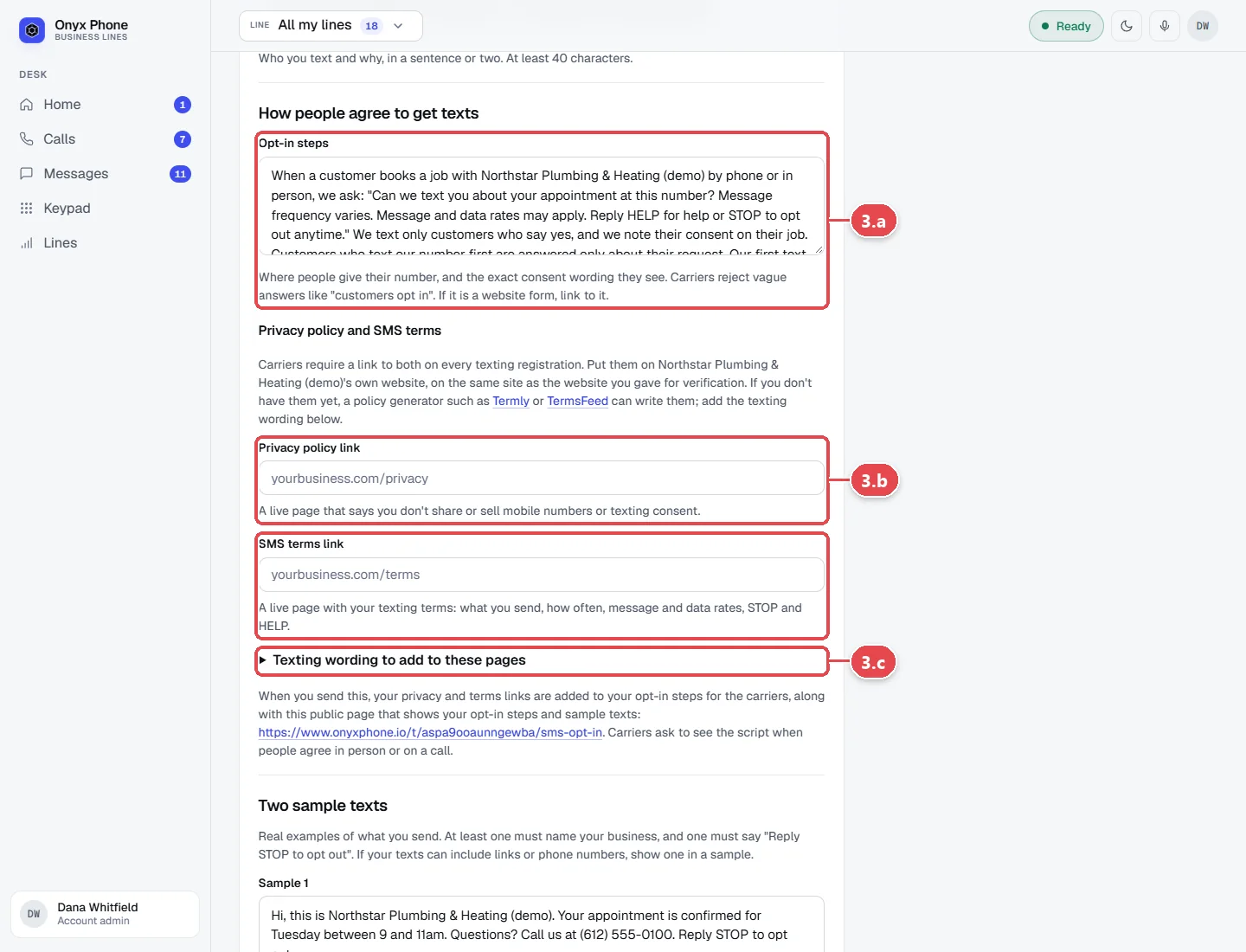
- Step 3.a In Opt-in steps, describe how customers agree, for example by asking for texts when they book a job or by texting you first.
- Step 3.b Type the web addresses of your Privacy policy link and SMS terms link. Click Texting wording to add to these pages for wording you can copy onto them.
- Step 3.c If you don't have a page to show how people opt in, use the hosted opt-in page link shown on the form.
Step 4. Add samples, confirm, and send
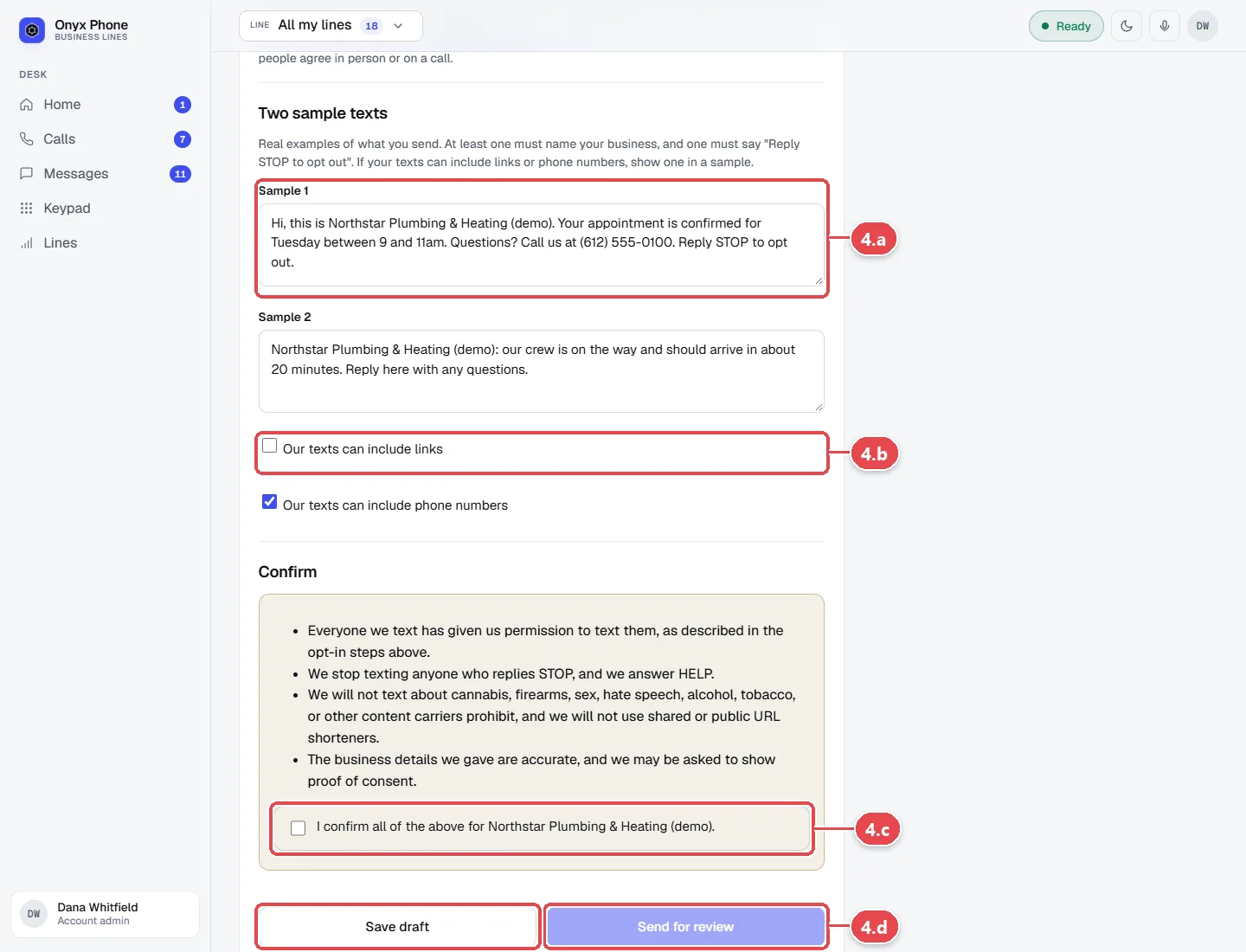
- Step 4.a Under Two sample texts, type two real examples in Sample 1 and Sample 2, including your business name.
- Step 4.b Tick Our texts can include links or Our texts can include phone numbers if they do.
- Step 4.c Under Confirm, tick the box confirming the details are true.
- Step 4.d Click Send for review, or Save draft to finish later.
Questions and answers
How long does texting approval take?
Usually one to two weeks. The Texting page shows each step, we check with the carriers every 30 minutes, and admins are emailed the moment texting is live.
Can we receive texts before approval?
Texts customers send arrive in Messages, but your lines can't text US numbers until the registration is approved.
Are there fees?
Carriers charge one-time registration fees, which we pass on at cost on your next bill. They're charged again only if a registration has to be filed again.
What if the carriers ask for a fix?
The status changes to needs attention and the page says what to change. Edit the details and send it again.
We send a lot of texts. Is there a limit?
The standard registration allows about 2,000 texts a day to T-Mobile customers. Open Daily limit and high-volume texting on the Texting page to ask for high-volume texting.
Related guides
- How to verify your business for caller ID and spam protectionVerify your business in Onyx Phone to show your caller ID name, sign calls against spam labels, and unlock texting. Run several businesses on one account.
- How to send and receive business texts from your computerText customers from your business number in any browser. Start a text, reply, send photos, mark texts read or unread, and delete or block a number.
- How to text customers from the Onyx Phone appText customers from your business number on iPhone or Android. Pick a line, search, start a text, send photos, call back, block, or delete a conversation.
- How to use My account to manage your profile, billing, and complianceMy account puts your Onyx Phone profile, devices, billing, usage, and business setup (verification, texting, 911) on one page, with the next step for each.
Getting started
- Create a login and pick a plan. Checkout saves a card for the 7-day free trial, and nothing is charged until it ends.
- Confirm your business and its 911 address, and get a local number on the spot. Bringing your own number? You answer on a temporary one while it moves over, for free.
- Choose where calls ring, write what callers hear, invite your team, and register for texting. Then answer in the browser, the iPhone and Android apps, or a desk phone. How it works has the details.
Screens change as we improve Onyx Phone; we last checked this guide on November 6, 2026. The screenshots show a made-up business. Markdown version · All guides · Contact us