Guides / Account, billing, and compliance
How to check your usage and extra charges
Calling, texting from Onyx Phone and the apps, and voicemail transcripts are included in every plan. The Usage page shows what your lines used this period, any extra charges so far (such as texts sent through the API or Zapier, and carriers' texting registration fees passed on at cost), usage by line, and earlier periods. This guide shows account admins how to read it.
Before you start
- You need to be an account admin.
Step 1. Open Usage
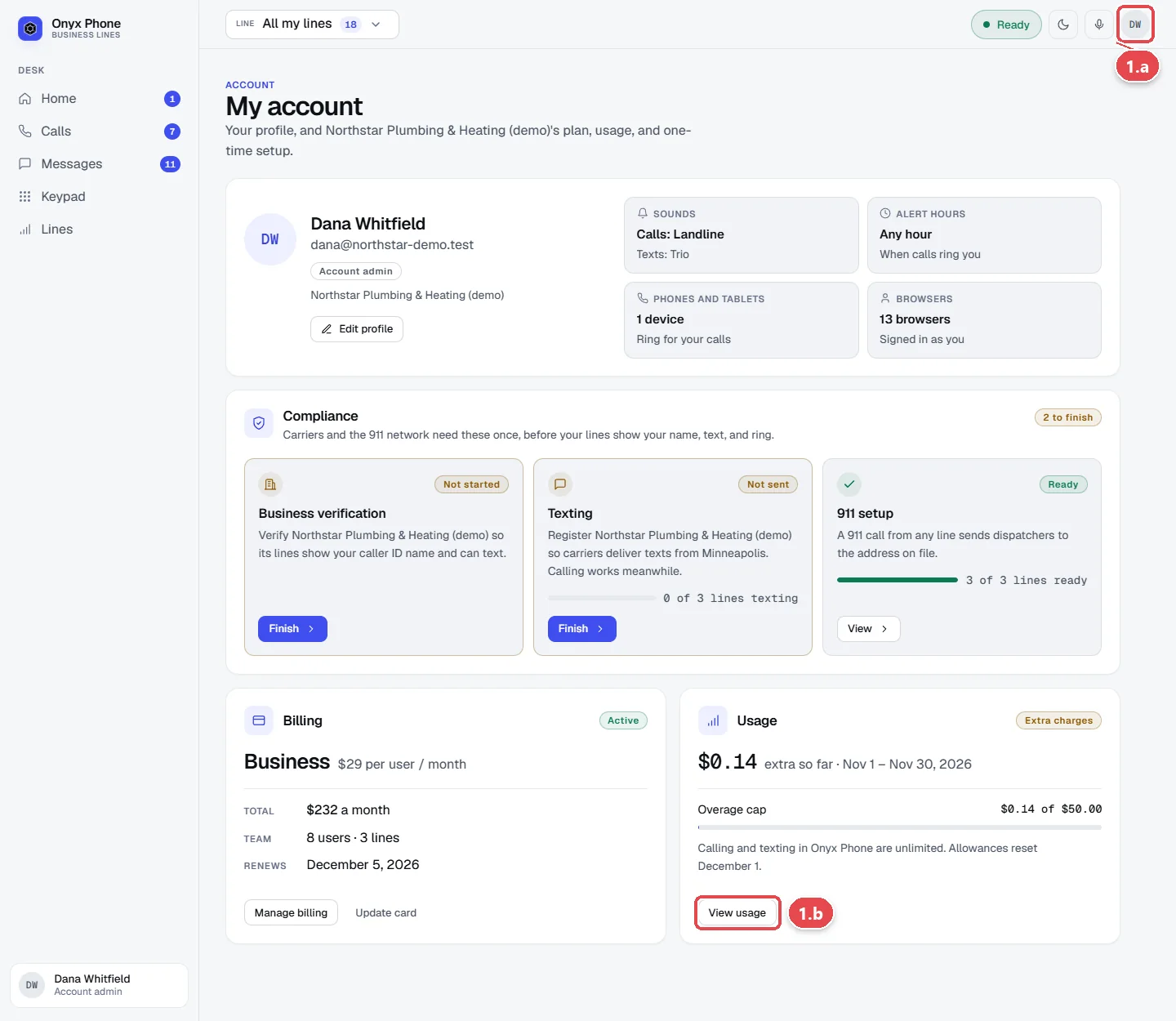
- Step 1.a Click your initials at the top right of the screen, then click My account.
- Step 1.b On the Usage card, click View usage.
Step 2. Read this period's usage
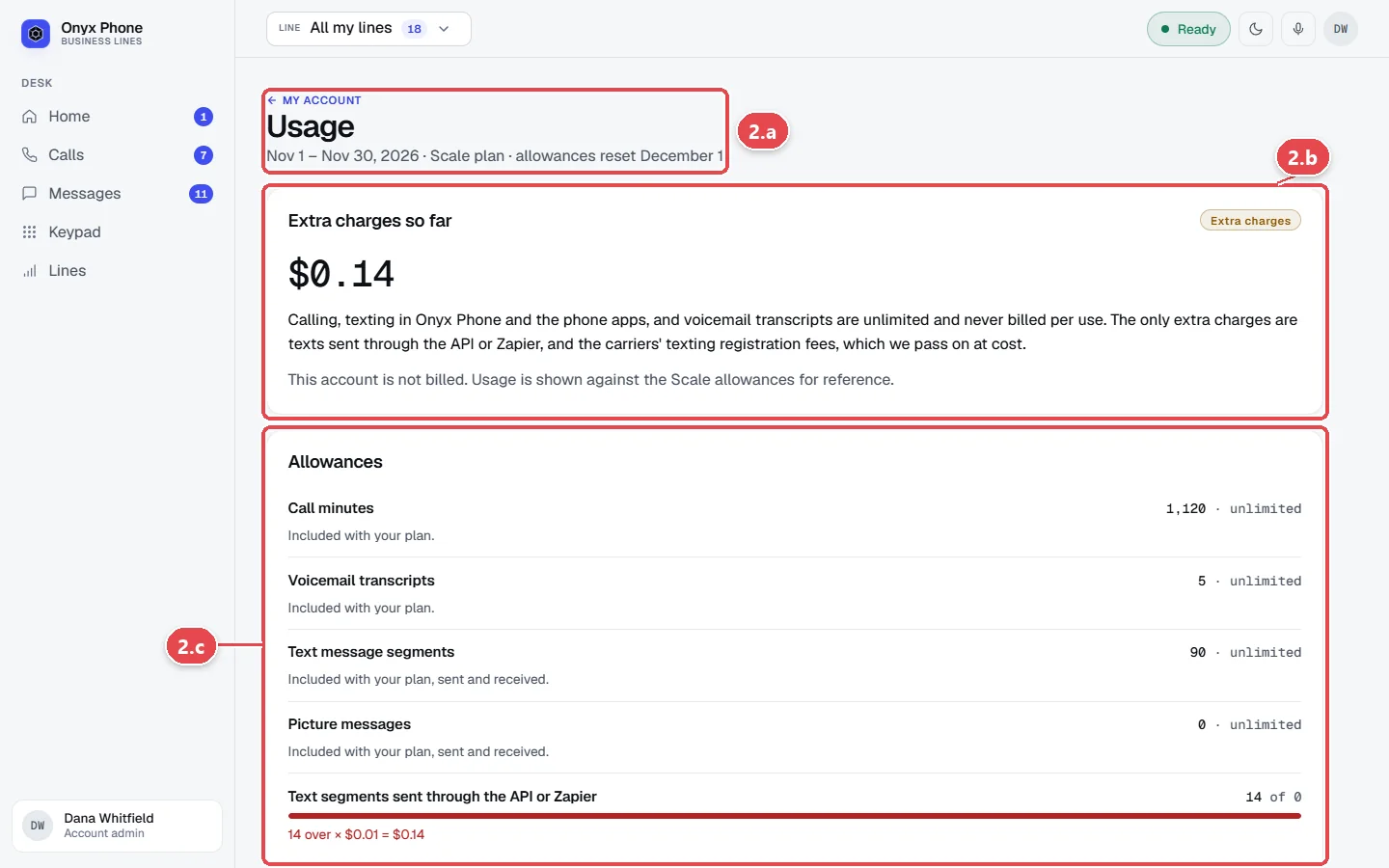
- Step 2.a Read the dates under Usage for the current period and when allowances reset.
- Step 2.b Read Extra charges so far for anything that will be added to your next bill.
- Step 2.c Read Allowances for call minutes, voicemail transcripts, text segments, and picture messages used, and what's included with your plan.
Step 3. See usage by line and past periods
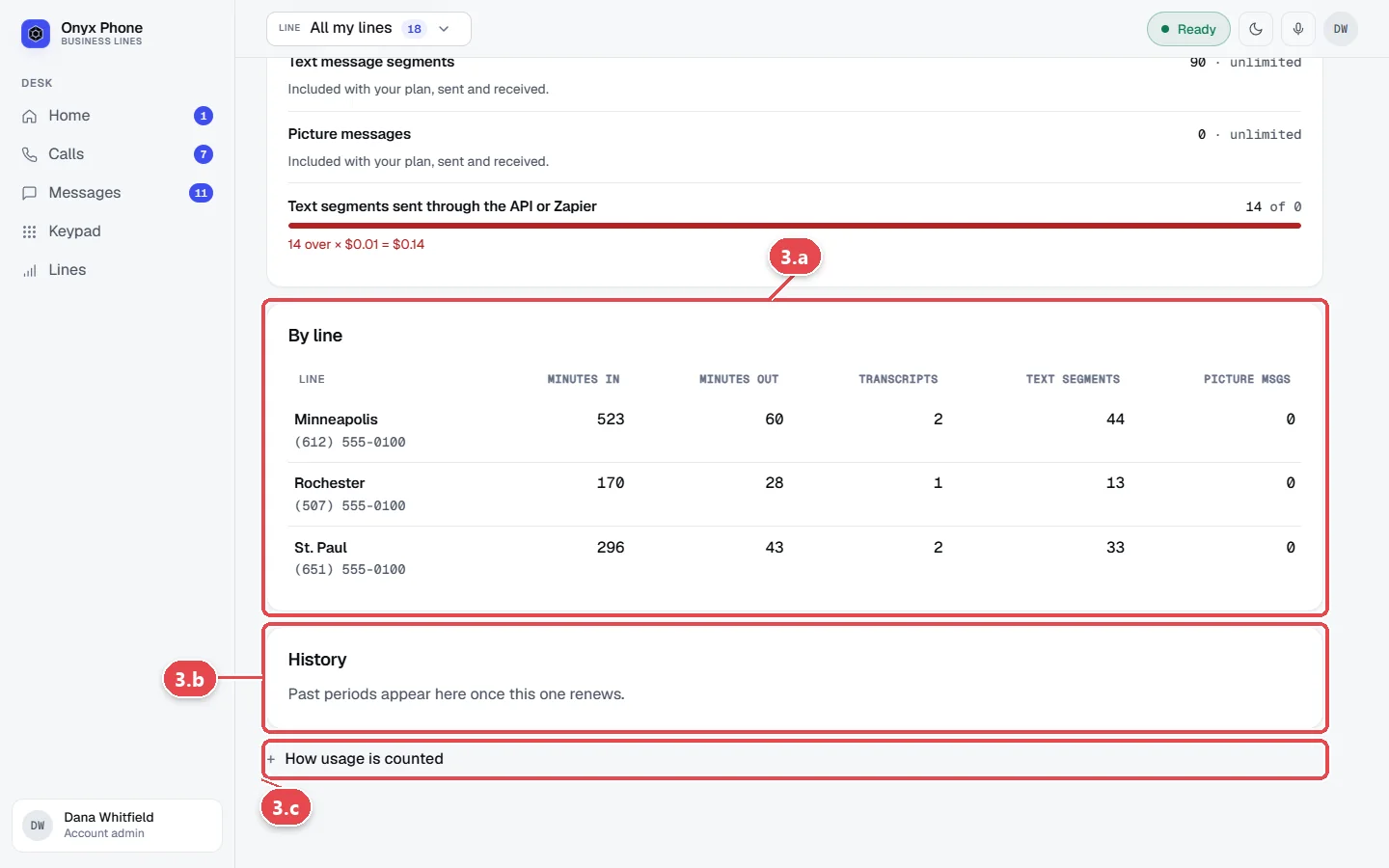
- Step 3.a Scroll to By line to see each line's minutes, transcripts, and texts, including lines you've removed.
- Step 3.b Scroll to History for earlier periods and what was billed.
- Step 3.c Click How usage is counted for how minutes are rounded and how texts are split into segments.
Questions and answers
Are calls and texts charged per minute or per text?
No. Calling and texting from Onyx Phone and the apps, and voicemail transcripts, are included in your plan. The only extra charges are texts sent through the API or Zapier, and the carriers' texting registration fees, passed on at cost.
How often does usage update?
About every 15 minutes.
Where do I see my bill?
On the Billing page, with your plan, card, and invoices. See Billing.
Why is there a charge for texts sent through Zapier?
Texts that other software sends through the Onyx Phone API or Zapier are billed per segment. Texts your team sends from the website and the apps are included in your plan.
Related guides
- How to change your plan, update your card, download invoices, or cancelManage Onyx Phone billing: switch plans or to yearly, update the card on file, download invoice PDFs, see your renewal date, and cancel or keep your plan.
- How to use My account to manage your profile, billing, and complianceMy account puts your Onyx Phone profile, devices, billing, usage, and business setup (verification, texting, 911) on one page, with the next step for each.
- How to connect Onyx Phone to Zapier, AI assistants, and your own softwareConnect Onyx Phone to Zapier, Claude, ChatGPT, or your own software: add the Zapier app, connect an AI assistant, and make or revoke API keys.
- How to register your business for texting (A2P 10DLC)Register your Onyx Phone lines with US carriers for business texting (A2P 10DLC): describe your texts, how people opt in, add samples, and send it.
Getting started
- Create a login and pick a plan. Checkout saves a card for the 7-day free trial, and nothing is charged until it ends.
- Confirm your business and its 911 address, and get a local number on the spot. Bringing your own number? You answer on a temporary one while it moves over, for free.
- Choose where calls ring, write what callers hear, invite your team, and register for texting. Then answer in the browser, the iPhone and Android apps, or a desk phone. How it works has the details.
Screens change as we improve Onyx Phone; we last checked this guide on November 6, 2026. The screenshots show a made-up business. Markdown version · All guides · Contact us